


CSS Compressor Tool: Free Online CSS Minifier for Faster Websites
Paste any stylesheet into this free CSS compressor and get a clean, minified version in one click — no uploads, no signup, and nothing leaves your browser.
🗜️ Try the CSS Compressor
⚡ Minify & optimize your CSS instantly, right in your browser
📏 Original: 0 bytes
➡️
🗜️ Compressed: 0 bytes
💾 Saved: 0%
🚀 Mobile-friendly • Secure (no upload) • Instant compression
What Is a CSS Compressor?
A CSS compressor — also called a CSS minifier — is a tool that shrinks a stylesheet’s file size by stripping out everything a browser doesn’t actually need to render your styles correctly. That includes comments left for developers, line breaks, tabs, and repeated spaces around selectors, properties, and values. The visual result on the page never changes; only the number of bytes the browser has to download does.
For a deeper technical explanation of the CSS syntax being optimized, the MDN Web Docs CSS reference is a great primer on how selectors, properties, and at-rules are structured.
How CSS Minification Works
Under the hood, a CSS compressor applies a series of text transformations to your source code. It removes /* ... */ comments, collapses multiple whitespace characters into one, deletes the space around braces, colons, semicolons, and commas, and drops the last semicolon before a closing brace — since it’s redundant. None of this changes how the CSS cascade or specificity behaves; it only changes how compactly the same rules are written.
Why You Should Compress CSS for Better Website Performance
Stylesheets are render-blocking resources — the browser generally waits for CSS to download and parse before it paints the page. A leaner CSS file means less to download and less to parse, which translates directly into a faster first paint.
Faster Page Load Times
Removing whitespace and comments can cut a stylesheet’s size by 20–40% on typical hand-written CSS, and even more on CSS exported from design tools. On a slow mobile connection, that difference is the gap between a page that feels instant and one that feels sluggish.
Improved Core Web Vitals and SEO Rankings
Google uses page-experience signals, including Largest Contentful Paint and Cumulative Layout Shift, as part of how it evaluates a page. A smaller, faster-parsing stylesheet helps the browser paint the layout sooner, which supports better Core Web Vitals scores. You can check your own results with Google PageSpeed Insights before and after minifying your CSS to see the real-world impact.
Reduced Bandwidth and Hosting Costs
Every visitor downloads your CSS at least once per cache cycle. On high-traffic sites, shaving kilobytes off a shared stylesheet adds up to meaningful bandwidth savings over thousands or millions of page views, which can lower CDN and hosting costs.
A Quick Before-and-After Example
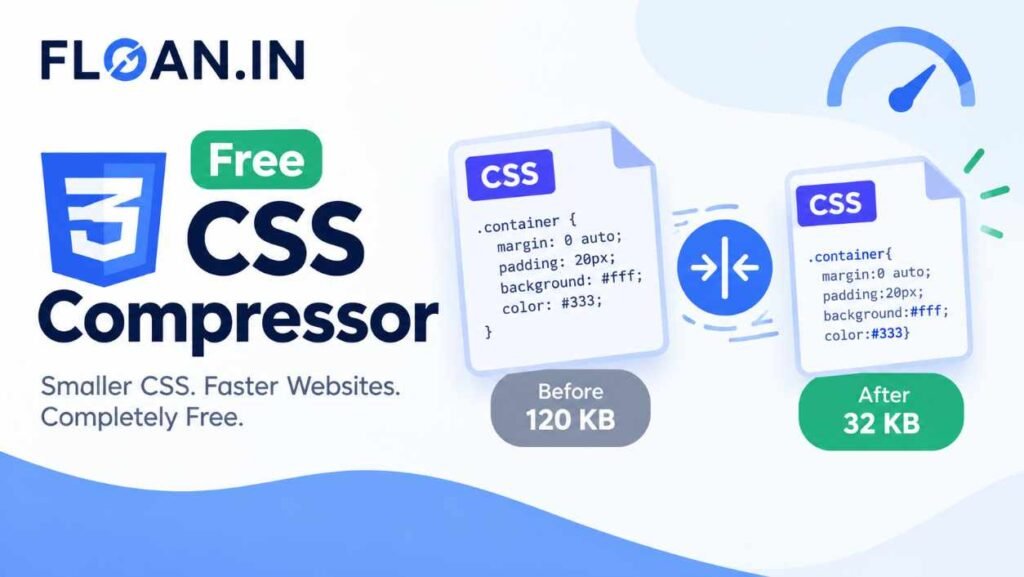
A hand-written stylesheet with generous spacing and comments might read as multiple lines with indentation and documentation. After running it through this CSS compressor, the exact same rules are rewritten on a single line with no comments, no extra spaces, and no trailing semicolons before a closing brace — identical behavior, smaller footprint.
Real-World Impact on Larger Projects
The savings from CSS minification scale with the size of the project. A small landing page might only carry a few kilobytes of CSS, where compression is a nice-to-have. A large web application with component libraries, utility classes, and third-party widget styles can easily accumulate hundreds of kilobytes of CSS. On that scale, minification isn’t cosmetic — it’s often the single biggest, lowest-effort win available before a release, because it requires no code changes and carries essentially zero risk when done correctly.
It also compounds with other optimizations. A minified file compresses better with Gzip or Brotli than an unminified one, because removing whitespace and comments eliminates a lot of the low-entropy padding that compression algorithms would otherwise have to encode. In practice, teams that minify CSS as part of their build pipeline typically see it paired with image optimization, font subsetting, and JavaScript bundling as part of a broader performance budget.
Browser Compatibility of Minified CSS
Minified CSS is not a different language — it’s the same CSS syntax with the formatting stripped out. Because of that, minified output is supported by every browser that already supports your original stylesheet. There is no polyfill, build tool, or special server configuration required to serve minified CSS; you can simply replace the file or paste the compressed code into your existing stylesheet.
How to Use This CSS Minifier Tool
This tool is built to work the same way on a laptop, a tablet, or a phone. There’s nothing to install and nothing to configure.
Step-by-Step Guide
Step 1: Paste Your CSS Code
Copy your raw or formatted CSS from your code editor and paste it into the “Input CSS” box above.
Step 2: Click Compress CSS
Press the “Compress CSS” button. The tool runs entirely in your browser using JavaScript and returns the minified result in the “Compressed CSS” box instantly.
Step 3: Copy the Optimized Output
Use the “Copy Output” button to copy the minified CSS to your clipboard, then paste it into your project or stylesheet file. Use “Reset” any time you want to clear both fields and start over.
Key Features of This Online CSS Compressor
- 100% client-side: your CSS is processed locally in the browser and never uploaded to a server.
- Real-time size comparison: see the original size, compressed size, and percentage saved.
- Mobile-friendly interface: the layout adapts to phones, tablets, and desktops.
- Handles media queries and nested rules: safely compresses complex, modern stylesheets.
- One-click copy: copies the compressed output straight to your clipboard.
- Free, unlimited use: no signup, no rate limits, no watermarks.
CSS Compression Best Practices for Developers
Minifying CSS is only one part of a solid front-end performance strategy. For the best results, pair this CSS compressor with the following habits:
- Keep an unminified, well-commented source file in version control, and generate the minified file as a build step.
- Combine minification with server-side compression such as Gzip or Brotli for the biggest total size reduction.
- Remove genuinely unused CSS rules before minifying — a minifier compresses code, it doesn’t delete dead styles.
- Load critical, above-the-fold CSS inline and defer non-critical stylesheets when possible.
The Cloudflare Learning Center guide to CSS minification covers how minification fits alongside CDN-level optimizations like automatic compression.
Automate Minification in Your Build Process
For ongoing projects, it’s worth automating what this tool does manually. Task runners and bundlers can minify CSS automatically on every build, so developers never have to remember to compress a file before deploying. Using this online CSS compressor is ideal for quick one-off jobs, testing how much a specific file will shrink, or working on small static sites where a full build pipeline would be overkill.
Organize CSS Before You Minify
Minification works best on well-structured source CSS. Grouping related selectors, avoiding excessive nesting, and removing duplicate rules before compression means the minifier has less redundant text to process and the resulting file is as lean as possible. Think of minification as the final polish step, not a substitute for writing organized styles in the first place.
Common CSS Optimization Mistakes to Avoid
Minifying Your Only Copy of the Source Code
Always keep a readable, commented master copy of your CSS. Minified CSS is meant for production delivery, not for ongoing editing.
Skipping Validation After Compression
Always preview your site after swapping in minified CSS. While this tool preserves valid CSS structure, it’s good practice to check that layouts render as expected, especially with hand-edited or unusual syntax.
Relying on Minification Alone
Minification reduces file size, but it won’t fix bloated CSS caused by unused frameworks, duplicate rules, or overly specific selectors. Auditing your CSS architecture still matters.
Forgetting to Update Cached Versions
Browsers and CDNs cache CSS files aggressively to save bandwidth on repeat visits. After swapping in a newly minified stylesheet, make sure your cache-busting strategy — a versioned filename or a query string — is updated so visitors actually receive the new, compressed file instead of an older cached copy.
CSS Minifier vs. Manual Optimization
Manually removing whitespace and comments from a large stylesheet is slow and error-prone — it’s easy to accidentally delete a needed space between selectors, breaking the cascade. An automated CSS compressor applies the same safe transformations consistently every time, in a fraction of a second, so you can focus on writing styles instead of formatting them for production. For reference on official CSS syntax rules that any minifier should respect, see the W3C CSS specifications homepage.
Looking for more free utilities like this one? Browse the full collection of web tools on floan.in, or head back to the floan.in homepage for the latest guides on web performance and SEO. You can also learn more about the team behind these tools on the About Us page.
Frequently Asked Questions
What does a CSS compressor do?
A CSS compressor (or CSS minifier) shrinks the size of a stylesheet by removing comments, extra whitespace, line breaks, and redundant characters, without changing how the CSS renders in the browser.
Is compressing CSS safe for a live website?
Yes. CSS minification only removes characters that browsers ignore, such as whitespace and comments. The visual output stays identical, so it’s safe to deploy minified CSS to production as long as you keep an unminified source copy for future edits.
Does minifying CSS actually improve SEO?
Minifying CSS reduces file size and speeds up rendering, which helps Core Web Vitals metrics like Largest Contentful Paint. Since Google factors page-experience signals into ranking, faster-loading pages can see an indirect SEO benefit.
Is this CSS compressor free and safe to use?
Yes. This tool runs entirely in your browser using JavaScript. Your CSS is never uploaded to a server, no signup is required, and you can use it as many times as you like at no cost.
What’s the difference between CSS minification and CSS compression?
Minification removes unnecessary characters like whitespace and comments from the source code itself. Compression, such as Gzip or Brotli, is applied afterward by the web server to shrink the file further during transfer. Using both together gives the best total size reduction.
Can I un-minify or beautify CSS after compressing it?
This tool is a one-way minifier, so it does not restore original formatting once CSS has been compressed. That’s why it’s good practice to always keep an unminified, readable source file separate from the minified production version you generate with this compressor.
Will this CSS compressor break my media queries or animations?
No. The compressor only removes whitespace, comments, and redundant characters between valid CSS tokens. Media queries, keyframe animations, custom properties, and nested at-rules are all preserved structurally, so they continue to function exactly as before minification.
Final Thoughts
Performance work rarely comes this easy. Minifying CSS costs nothing, breaks nothing when done correctly, and pays off on every single page load for every visitor, on every device. Whether you’re shipping a single landing page or maintaining a large design system, running your stylesheets through a CSS compressor before deployment is one of the simplest habits you can build into your workflow. Paste your CSS into the tool above, compress it, and see exactly how many bytes you just saved.